How do I add a callback URL?
- From the Navigation toolbar, choose Settings.
- Select APIs under Developer Space.
- Scroll down to the Callback URL section.
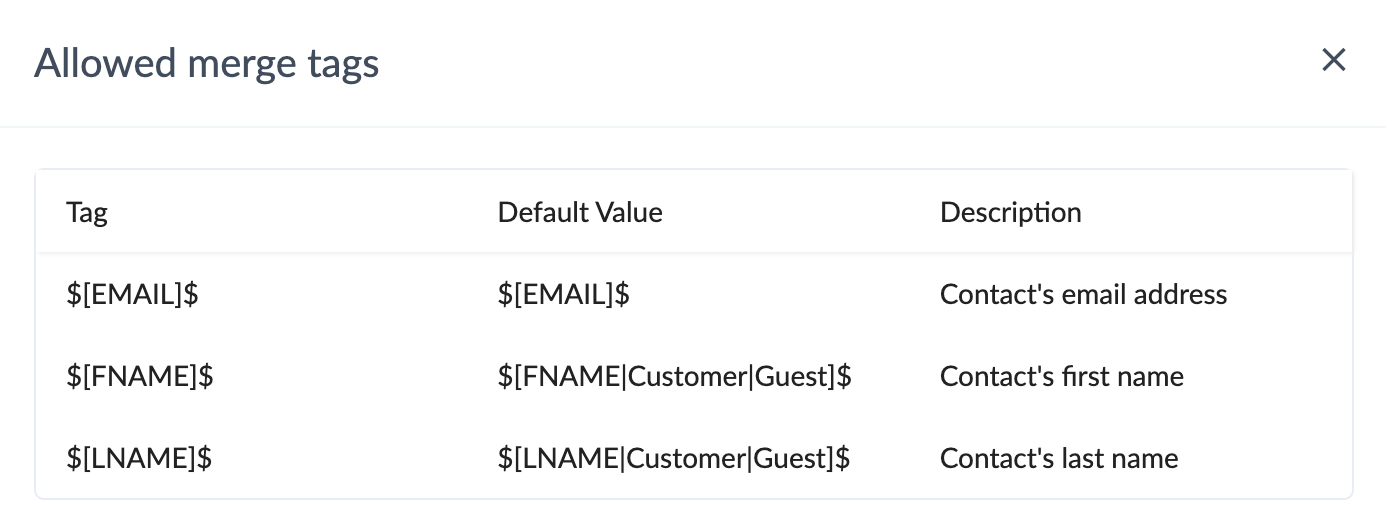
- You can use Merge tags to find out which contact performed an unsubscribe action. The type of merge tags that can be used are shown in the screenshot below.
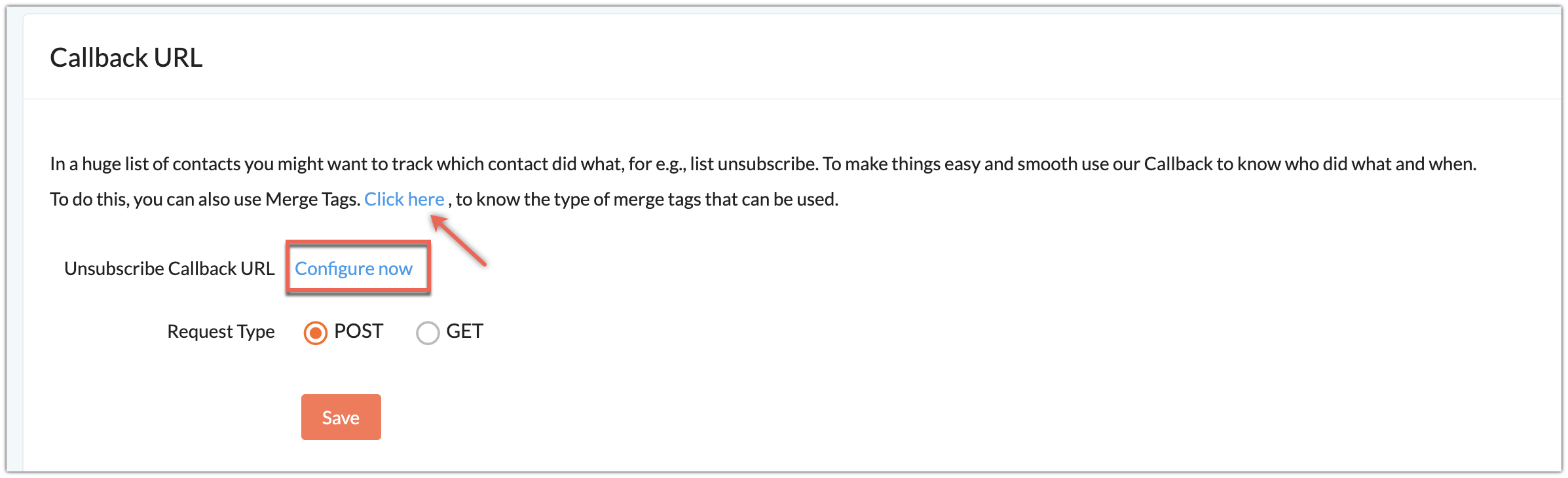
- Click Configure now to configure an Unsubscribe callback URL.
- Enter a callback URL, (ex: "http://example.zylker.com/") where you can view information about your contacts' actions in lists.
- Choose a Request Type.
- Click Save.